
Top companies

AXISBANK - 1291.4 (1.84%) TITAN - 4114.2 (-1.87%) TATASTEEL - 202.84 (0.06%) RELIANCE - 1259.8 (-0.28%) BPCL - 289.1 (1.39%) HINDUNILVR - 2133.6 (1.11%) SBIN - 1005.5 (2.4%) MARUTI - 13074 (1.25%) KOTAKBANK - 380.25 (0.84%) INDUSINDBK - 919 (2.68%) HEROMOTOCO - 4856.7 (1.7%) ONGC - 259.25 (-2.04%) ASIANPAINT - 2705.9 (1.76%) ITC - 279.1 (-0.13%) BAJAJFINSV - 1690.5 (0.95%) ICICIBANK - 1276.3 (2.09%) HDFCBANK - 737.85 (-0.11%) WIPRO - 181.68 (-0.04%) COALINDIA - 463.75 (-0.25%) BHARTIARTL - 1801.2 (-0.67%) TCS - 2149.7 (-0.08%) BAJFINANCE - 886.2 (1.73%)
TRENDING #Asian Paints Limited711 #ITC Limited613 #Axis Bank Limited533 #HDFC Bank Limited283

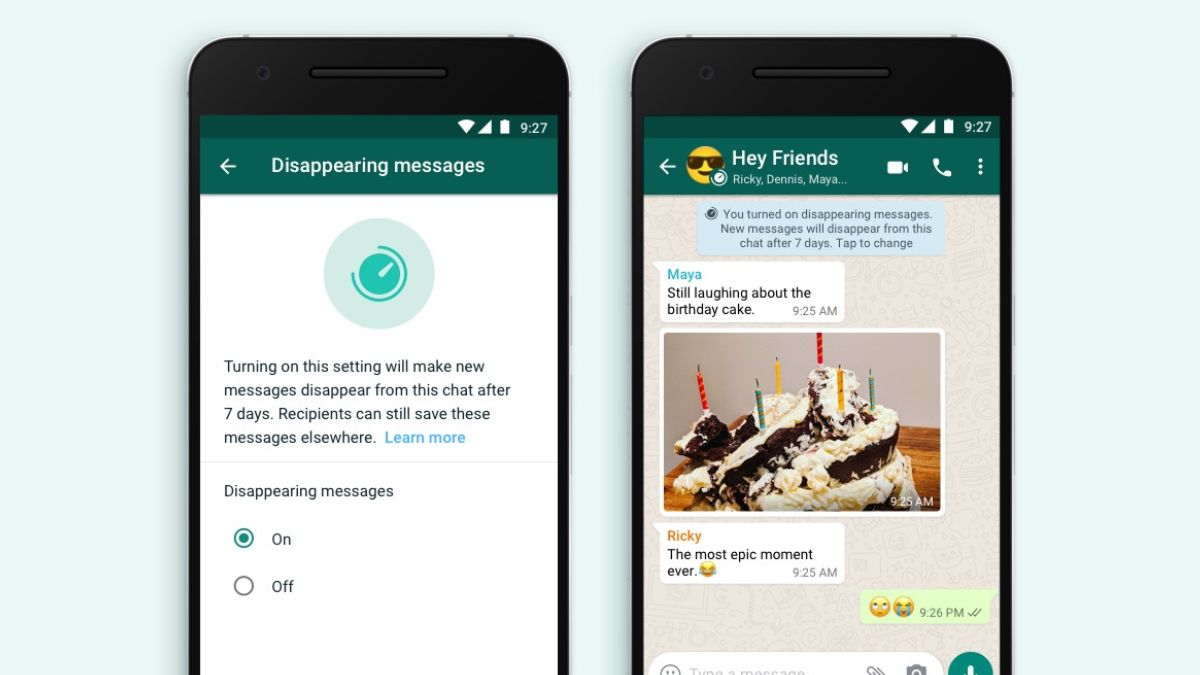
WhatsApp feature update: Here’s how you can enable disappearing messages on Android, iPhone | Tech Tips

03 Oct , 2022   By : Monika Singh

WhatsApp feature update: Here’s how you can enable disappearing messages on Android, iPhone | Tech Tips

WhatsApp has been introducing a slew of features. The chat company last year launched the disappearing messages feature. By enabling this feature, chats between two users will disappear after a selected period of time. The control to access the feature varies- users in one-to-one chat can enable or disable this feature while for group chats, only admins have the control. 


The time duration for the vanishing the message was initially fixed for 7 days by the company. But it has gradually moved on to 90 days now after which the chat will disappear for both the user and the receiver.  WhatsApp also gives you the flexibility to turn on or off this feature either for a particular chat or for several selected chats. 


This feature is available for both iOS and Android smartphone users. 

How to enable the disappearing messages on Android smartphones: 
 

  • Open the particular chat for which you want this feature. 
  • Click on the three dots in the left corner of the window.
  • Tap on Disappearing messages. 
  • You will then be prompted to set a message timer.  The time options are – 24 hours, 7 days and 90 days. There is also off option in case you have already activated it and want to stop.
  • Select the required time frame which you want. 
  • Your disappearing messages feature is enabled. 


 How to enable the disappearing messages on an iOS smartphone: 

 

  • Open the chat where the disappearing feature needs to be enabled. 
  • Tap on the person’s chat profile.
  • Switch on the disappearing messages option. 
  • Select the time frame for which you want this feature to work. 
  • Your feature is now enabled. For iOS devices, there is an additional feature asking users to start all new chats with the disappearing messages enabled. 


0 Comment


LEAVE A COMMENT


Growmudra © 2026 all right reserved

Partner With Us